1.下载redis资源
wget http://download.redis.io/redis-stable.tar.gz
2.解压redis-stable.tar.gz
tar -zxvf redis-stable.tar.gz
3.编译安装
进入目录
cd redis-stable

make PREFIX=/usr/local/redis install
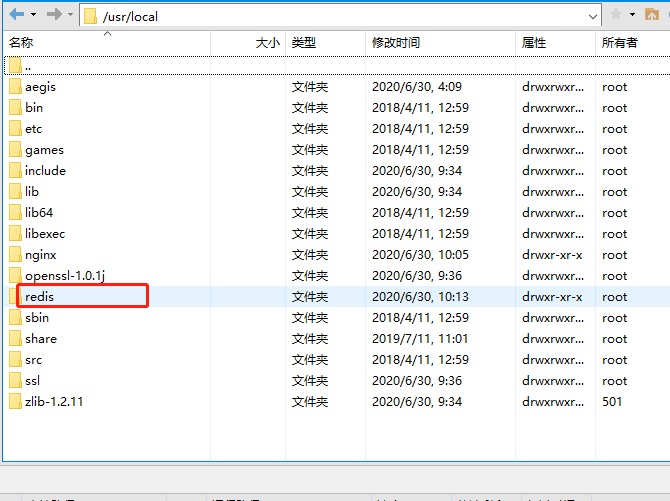
如果编译出现下面错误,gcc版本太低
server.c:5103:19: error: ‘struct redisServer’ has no member named ‘supervised_mode’
         if (server.supervised_mode == SUPERVISED_SYSTEMD) {
4.升级gcc版本
# 查看gcc版本是否在5.3以上,centos7.6默认安装4.8.5
gcc -v
# 升级gcc到5.3及以上,如下:
升级到gcc 9.3:
yum -y install centos-release-scl
yum -y install devtoolset-9-gcc devtoolset-9-gcc-c++ devtoolset-9-binutils
scl enable devtoolset-9 bash
需要注意的是scl命令启用只是临时的,退出shell或重启就会恢复原系统gcc版本。
如果要长期使用gcc 9.3的话:

echo "source /opt/rh/devtoolset-9/enable" >>/etc/profile
这样退出shell重新打开就是新版的gcc了
以下其他版本同理,修改devtoolset版本号即可。
5.再次编译安装
make PREFIX=/usr/local/redis install
6.启动redis的三种方式
拷贝配置文件进/usr/local/redis/bin目录中
cp /home/redis-stable/redis.conf /usr/local/redis/bin
7. 修改redis.conf文件(重要)
7.1 后台启动redis配置
daemonize no改为 daemonize yes

7.2 设置权限验证密码(abc-123)
找到
# requirepass foobared
改为
requirepass abc-123

7.3 设置远程访问
    将第70行的bind注释,第90行将protected-mode改为no
进入redis/bin目录
cd /usr/local/redis/bin
./redis-server redis.conf
8.全局使用redis-cli
拷贝文件redis-cli进用户目录
cp /usr/local/redis/bin/redis-cli /usr/bin/

redis-cli参数
Usage: redis-cli [OPTIONS] [cmd [arg [arg …]]]
-h Server hostname (default: 127.0.0.1)
-p Server port (default: 6379)
-s Server socket (overrides hostname and port)
-a Password to use when connecting to the server
-r Execute specified command N times
-i When -r is used, waits seconds per command.
It is possible to specify sub-second times like -i 0.1
-n Database number
-x Read last argument from STDIN
-d Multi-bulk delimiter in for raw formatting (default: \n)
-c Enable cluster mode (follow -ASK and -MOVED redirections)
–raw Use raw formatting for replies (default when STDOUT is not a tty)
–latency Enter a special mode continuously sampling latency
–slave Simulate a slave showing commands received from the master
–pipe Transfer raw Redis protocol from stdin to server
–bigkeys Sample Redis keys looking for big keys
–eval Send an EVAL command using the Lua script at
–help Output this help and exit
–version Output version and exit